 3:43
3:43
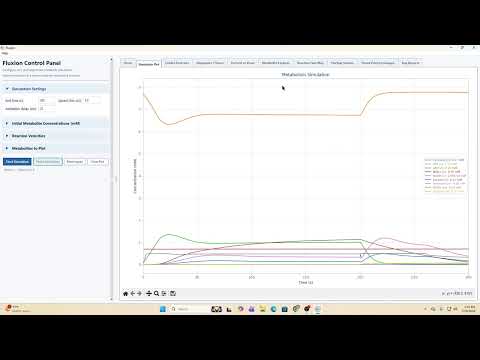
Your first simulation
Learn the interface, simulation controls, and the first steps for exploring metabolic behavior in Fluxion.
- Interface orientation
- Simulation controls
- Reading metabolic behavior
Interactive pathway atlas
Follow glucose, pyruvate, NADH, and more through muscle, blood, liver, and red blood cells. Zoom into a cell, inspect its color-coded cables, and open reactions for lessons and exact Fluxion inputs and outputs.
One map, many levels
Choose a cell. Jump to muscle, liver, blood, or a red blood cell, then add the pathways you want to see.
Trace a molecule. All cables are on; select glucose, pyruvate, NAD, or another metabolite to focus on its route.
Open an enzyme. Review model inputs and outputs, then watch the lesson if one is published.
Fluxion reaction network
Each cell contains its own reactions, and transporters sit at the membrane crossings. Core energy and exchange pathways begin on; other pathways remain as quiet grey context until you switch them on.
Outside the pathway
This tutorial is about using the simulator rather than one metabolic reaction, so it lives beside the map instead of inside it.
3:43
Learn the interface, simulation controls, and the first steps for exploring metabolic behavior in Fluxion.
A growing atlas
New videos can be attached to their existing reaction nodes without redesigning the map. The network structure follows the major enzymatic pathways currently modeled in Fluxion.
Visit Gunnar BioTech on YouTube